With Lore, we help teams organize AI work, instead of it living on one person's computer and disappearing. We gather every prompt, skill, and AI session and turn it into searchable, shareable infrastructure. Lore preserves the context behind useful threads and enables several use cases built on top of this data.
We initially built Lore to share our Claude threads with each other: as contextual links on PRs, snapshotting some research or investigating for someone else to pick up, or just "check out this cool thing I did." Since then, we've run into many other use cases, and built a whole product around this primitive.
You can sign up on web or in the macOS app. Your teammates can join just by signing up; we'll automatically add users with the same email domain to your workspace (users with gmail.com and other individual email domains will get their own individual workspaces).
Install Lore#
The macOS desktop app lets you browse Lore in its own window. Install the plugin separately for explicit sharing and reading from your coding agents.
The desktop app is the easiest way to get started, and it needs no terminal. It's a native macOS app that lets you browse Lore in its own window.
- Download it from lore.link/desktop and drag Lore into Applications.
- Sign in through your system browser.
That's it. The app keeps itself up to date and hands you off to Lore.
First run#
First run is sign-in only:
- Sign in. The app opens your system browser for sign-in (the same account flow as the web app) and returns you to the app automatically.
After sign-in, the desktop app hands you off to the hosted Lore app. Install the Lore plugin with the instructions in the next tab, then use its share command when you want to upload a session.
The Lore plugin works with Claude Code, Cowork (in Claude Desktop), and Codex. Pick the instructions for your agent below.
- Open Customize from the side bar.
- Click +, then choose Create (not Browse).
- Click Add marketplace, enter
loredotlink/lore-plugin, and click Sync. - Under the Personal tab (next to “Anthropic & partners”), open the Lore marketplace and install the Lore plugin.
This gives you the plugin slash commands: /lore:share to export sessions, /lore:read to read and search threads, and /lore:fork to continue from an existing thread.
- Inside a live Claude Code session, run
/pluginsto open the interactive plugins TUI. - Switch to the Marketplaces tab and choose Add Marketplace.
- Enter the marketplace source:
loredotlink/lore-plugin. - Open the new loredotlink marketplace and install the Lore plugin.
Claude Code: /plugins → Marketplaces → loredotlink → install Lore:
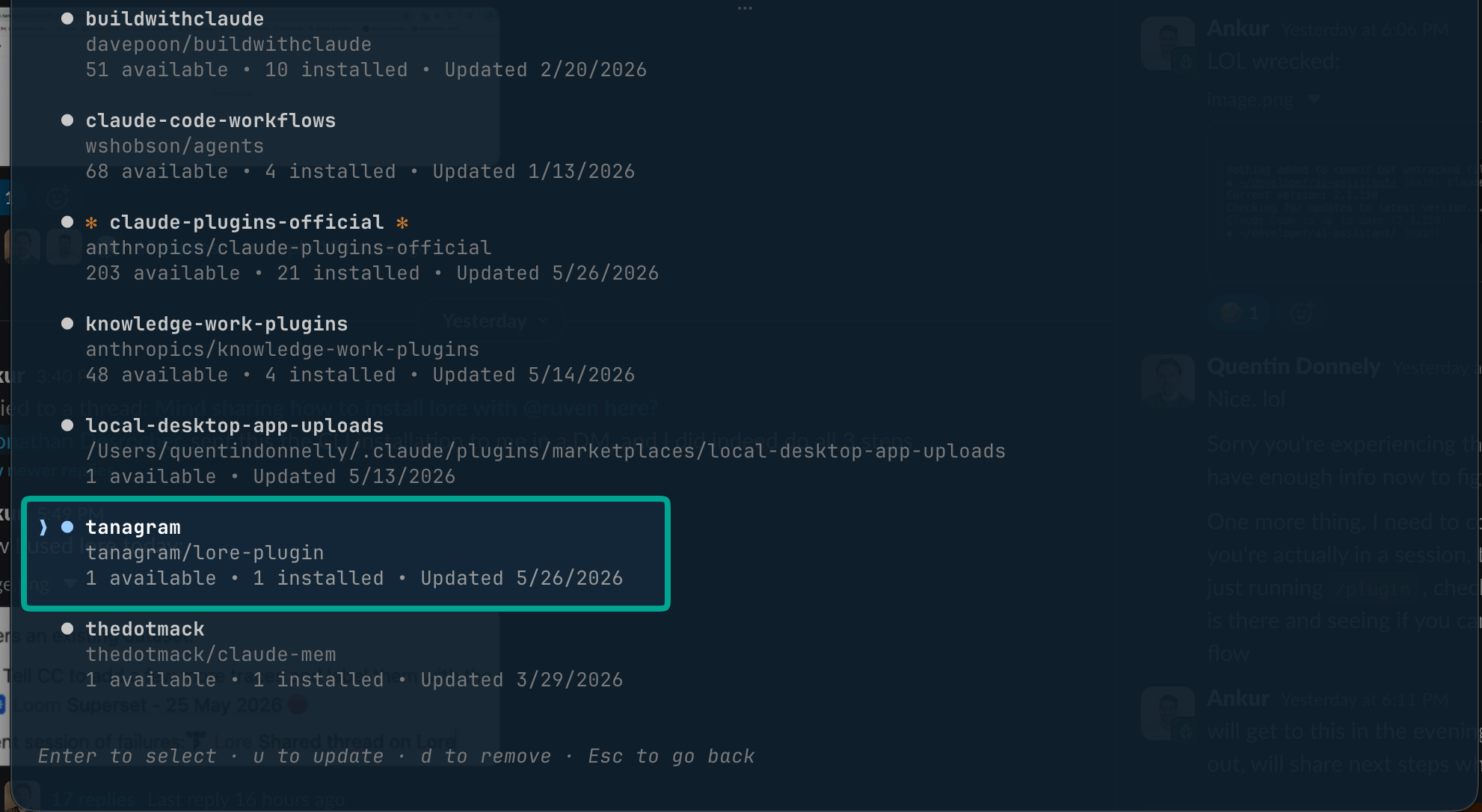
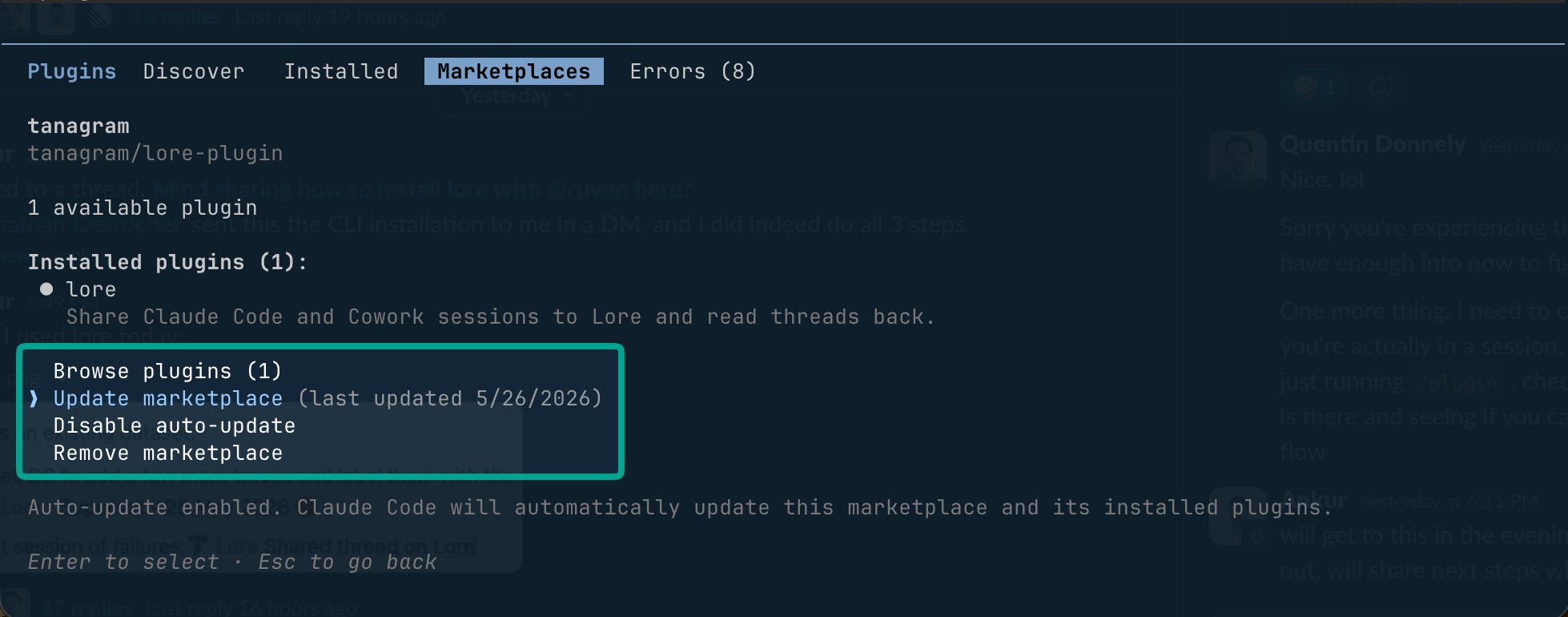
Or install from a plain terminal outside a session:
claude plugin marketplace add loredotlink/lore-plugin
claude plugin install plugin@loredotlink
This gives you the plugin slash commands: /lore:share to export sessions, /lore:read to read and search threads, and /lore:fork to continue from an existing thread.
Install Lore from a plain terminal:
codex plugin marketplace add loredotlink/lore-plugin
codex plugin add lore@loredotlink
This gives you the plugin commands: $lore:share to export sessions, $lore:read to read and search threads, and $lore:fork to continue from an existing thread.
The plugin bundles Lore's MCP server, so the agent commands and the Lore MCP tools are both available the moment it's installed. You don't need to add the MCP server separately; that's only for clients that aren't using the plugin.
The first time you use the plugin, it will walk you through authenticating with your Lore account.
Privacy#
Lore threads can be in one of three privacy settings:
privateis visible only to you.workspaceis visible to your team (anyone logged in with your same email domain).publicis visible to anyone with the URL.
New threads default to workspace if you belong to a team workspace and haven't turned off the Share new threads with my workspace setting (on by default). If you're not in a workspace, or you turn that setting off, new threads default to private.